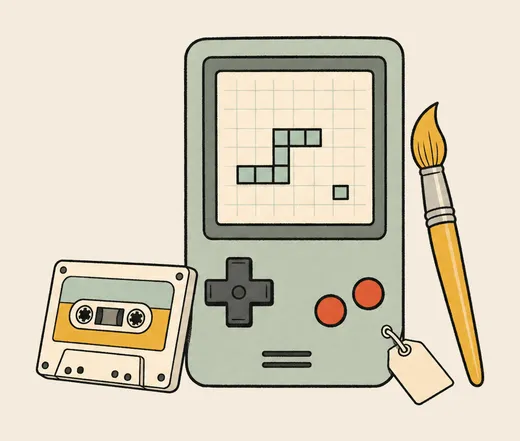
3¢ per image

Let OpenClawmake the images.

The post is drafted. Ask OpenClaw for the image that goes with it.

TaskFuel connects OpenClaw to paid tools through one prepaid balance. You review the provider and request quote before spending.

Works with

What your agent can call.

Currently available through StableStudio. Your AI picks the one that fits and checks the exact price before it pays.

  • Generate an image

    Choose an image model and resolution. Flux 2 Pro at 0.5 MP quoted 2¢ on 9 September 2026.

    3–21¢
  • Edit an image

    Use a supported edit endpoint to change an existing image. Check the model’s accepted inputs first.

    Priced at runtime
  • Generate a video

    Request a video from a supported model. Duration and settings affect the quote.

    from 40¢
  • Convert an image to SVG

    Convert a raster image to SVG. Inspect the paths before using it as a logo or icon.

    Priced at runtime

Try it in your next task.

Sign in to TaskFuel and copy the connection prompt into your agent. Approve the connection, then ask for the work you need.

Connect the environment that runs your OpenClaw task. For recurring work, specify when it should run and when it should stop. Each paid request uses the same prepaid balance.

01

Name the task

Tell your agent what the output needs to contain.

02

See the price

Ask for the provider and request quote before spending.

03

Review the response

Check the output against your task. The call reports its cost and remaining balance.

When to use it.

Posting

Add the image to the draft.

Generate from the post’s brief. Review both before publishing.

Scheduled work

Set the scope before scheduling.

Specify the image count and spending instructions. Review early runs before leaving them unattended.

Personal projects

Try a cover for the playlist.

Describe the mood and square format, then inspect the result.

Providers for this task.

CapabilityProvidersReference
Nano BananaStableStudio, BlockRun, Otto AI, 2sCompare routes · Endpoint data
GPT ImageStableStudio, BlockRun, Otto AI, 2s, Sats4AICompare routes · Endpoint data

Good Questions.

Can OpenClaw generate images?

Not on its own: the models behind OpenClaw write text, not pictures. Give it an image model and the task finishes whole, either with a provider API key of your own or with a pay-per-call balance like TaskFuel.

Do I need my own API key for OpenClaw?

No. One TaskFuel account and one prepaid balance covers it. TaskFuel pays the provider and bills your balance, so an agent running on its own never needs a provider key it could not have obtained anyway.

What does an image cost in OpenClaw?

From 3¢ with Flux 2 Pro up to 21¢ for GPT Image 2 at high quality. Nano Banana, Flux 2 Max and Grok Image are 7¢; Nano Banana Pro and GPT Image 1.5 are 13¢. The balance is the ceiling, so a scheduled run cannot spend past it.

Is it safe to let OpenClaw spend on its own?

The balance is prepaid, so the most any run can spend is what you have put on it. Every call is logged with what it cost, and the agent reads the price before it pays rather than after.

Can OpenClaw edit an image I already have?

Yes. Every image model has a matching edit endpoint, so it can recolour, replace a background or restyle a file you give it, and hand back the result.

Your agent can do things it couldn’t this morning.

$1 in free credit, no card required.

Start for Free