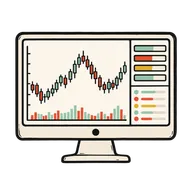
6¢ per call

Crypto market data

Let your agent read the market.

Get price history, market rankings and movers from CoinGecko for your agent’s analysis.

One TaskFuel account and prepaid balance. Connect your agent and it shows the price before it pays.

Works with

Crypto market data: what your agent gets.

Currently available through CoinGecko. Your AI picks the one that fits and checks the exact price before it pays.

  • Market chart

    Request historical price, market cap and volume for a coin over a supported time range.

    6¢
  • Top gainers and losers

    Get the largest gains and losses over a supported time period.

    6¢
  • Coins markets

    Request a ranked page of coins with market data and optional sparklines.

    6¢
  • Coin history

    Get a market-data snapshot for a coin on a specified date.

    6¢
  • Categories

    Compare coin categories using market cap and volume.

    6¢
  • Coin data

    Request a coin’s profile and market data.

    6¢
  • Token price by contract

    Look up a token price by contract address and chain.

    6¢
  • Trending

    See the coins and categories attracting recent searches.

    6¢
  • Global

    Get total market cap, volume and Bitcoin dominance.

    6¢
  • Global DeFi

    Get DeFi market totals.

    6¢
  • Exchanges

    Look up exchange data and reported volume.

    6¢
  • Exchange rates

    Get Bitcoin exchange rates against supported currencies.

    6¢
  • Simple price

    Request prices for one or more coins in a supported currency.

    6¢
  • Search

    Find a coin or exchange by keyword.

    6¢
  • Coins list

    Resolve a coin’s name or ticker to its provider ID.

    6¢

Crypto market data, tested.

One paid call from our own test run: what went in, what it cost and what came back.

TaskFuel test run ·

Charged $0.06

Your agent asked

Get the daily Bitcoin price in USD for the last 7 days
Data from
CoinGecko

What came back

Price observations
8
Also returned
Market caps and total volumes

One seven-day daily snapshot from the provider.

Try it in your next task.

Sign in to TaskFuel and copy the connection prompt into your agent. Approve the connection, then ask for the work you need.

01

Name the task

Tell your agent what the output needs to contain.

02

See the price

Your agent shows the provider and price before spending.

03

Review the response

Check the output against your task. The call reports its cost and remaining balance.

When to use it.

Research

Check the data behind your idea.

Request the time range you need. Check for missing dates before drawing a conclusion.

Apps and dashboards

Fill a view with market data.

Fetch the fields your interface needs. Each refresh is another request.

Existing assets

Use a paid call when it earns its place.

For a price you can already get from a free source, use that source.

Use it with your agent.

Open the guide for the client where you do the work.

Providers for this task.

CapabilityProvidersReference
Crypto pricesCoinGecko, Glassnode, 2s, Otto AI, BlockRun, Alpha Vantage, AnyAPICompare providers · Endpoint data

Good Questions.

Can't my agent just look up a price for free?

For one current price, a free source may be enough. TaskFuel is useful when your agent needs structured data from a supported provider in the same task. Check the requested history range and the price first.

What does a call cost?

Our seven-day Bitcoin/USD history request cost 6¢ on 29 October 2026. Your agent shows the price for your own request before it pays.

Where does the data come from?

This guide uses CoinGecko through TaskFuel. Fields, coverage and freshness depend on the selected provider.

Do I need a CoinGecko account or API key?

No. Your agent pays from your TaskFuel balance, so there is nothing else to sign up for.

What can it actually answer?

Historical and current prices, market caps and volumes, ranked market pages, per-coin profiles, tokens by contract address, exchange listings and rates, categories, trending coins, top gainers and losers, and global and DeFi market stats.

Can it watch a price for me?

Your AI can check again whenever you ask, and each check is billed separately. There is no standing subscription quietly polling in the background.

What if a lookup fails?

A provider error (4xx or 5xx) is not charged. A lookup that succeeds with an empty or unhelpful answer can still be charged.

Your agent can do things it couldn’t this morning.

$1 in free credit, no card required.

Start for Free